Suntory -196 Motion Display
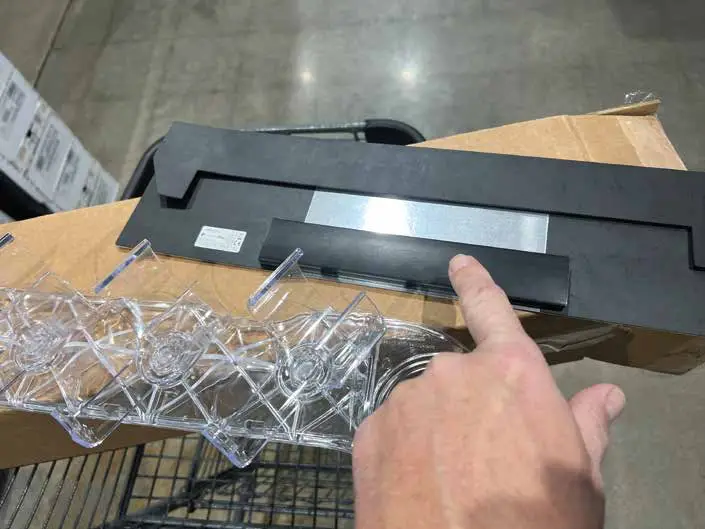
Remove the black lid covering the control unit. Grab one end and “pop it” off.
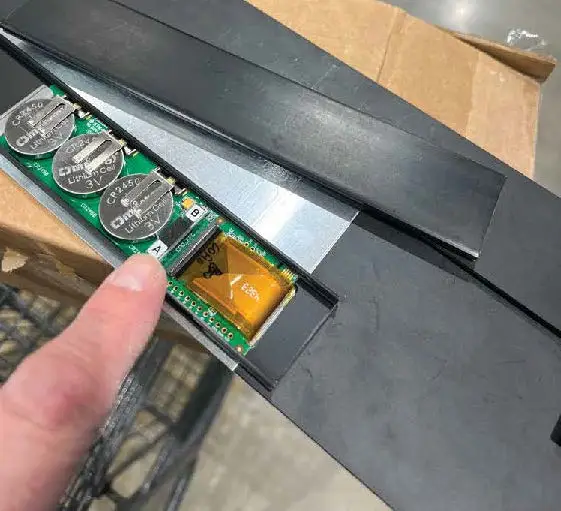
Press button A for 2.5 – 3 seconds.
Look at the screen and make sure it is animating, if not – go through pressing button A again – and watch the screen at the same time to see that you have pressed enough.
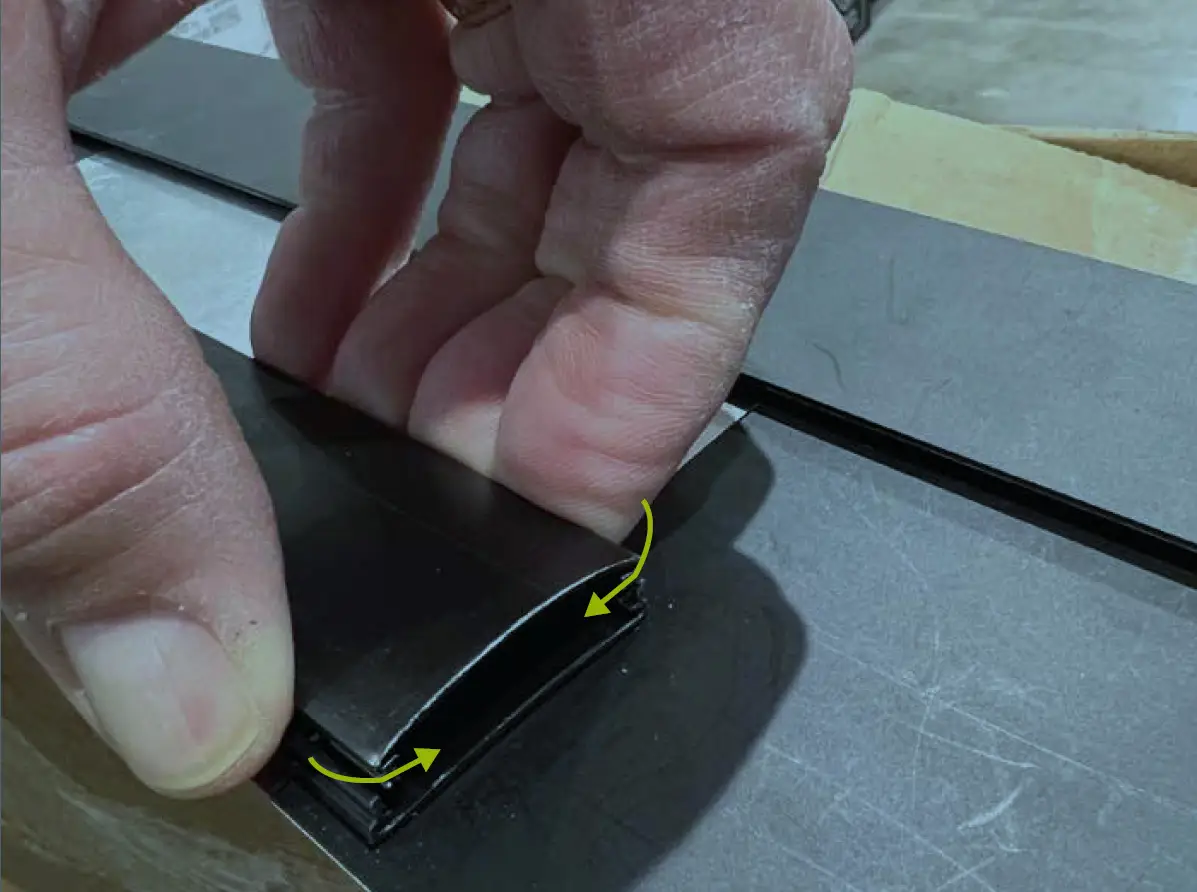
Put the lid back on.
Squeeze the edges together so they fit inside the channel.
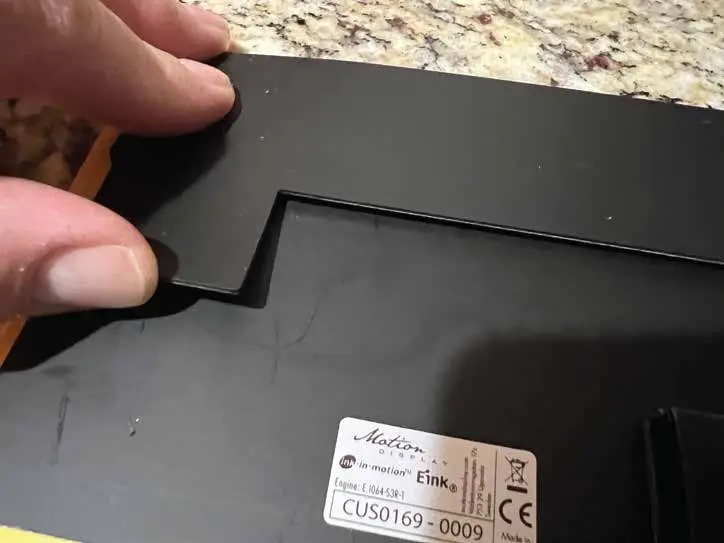
Identify the tab on the back side of the Motion Display.
Place this tab in the opening of the channeling of the clear bottle holding display with suction cups.
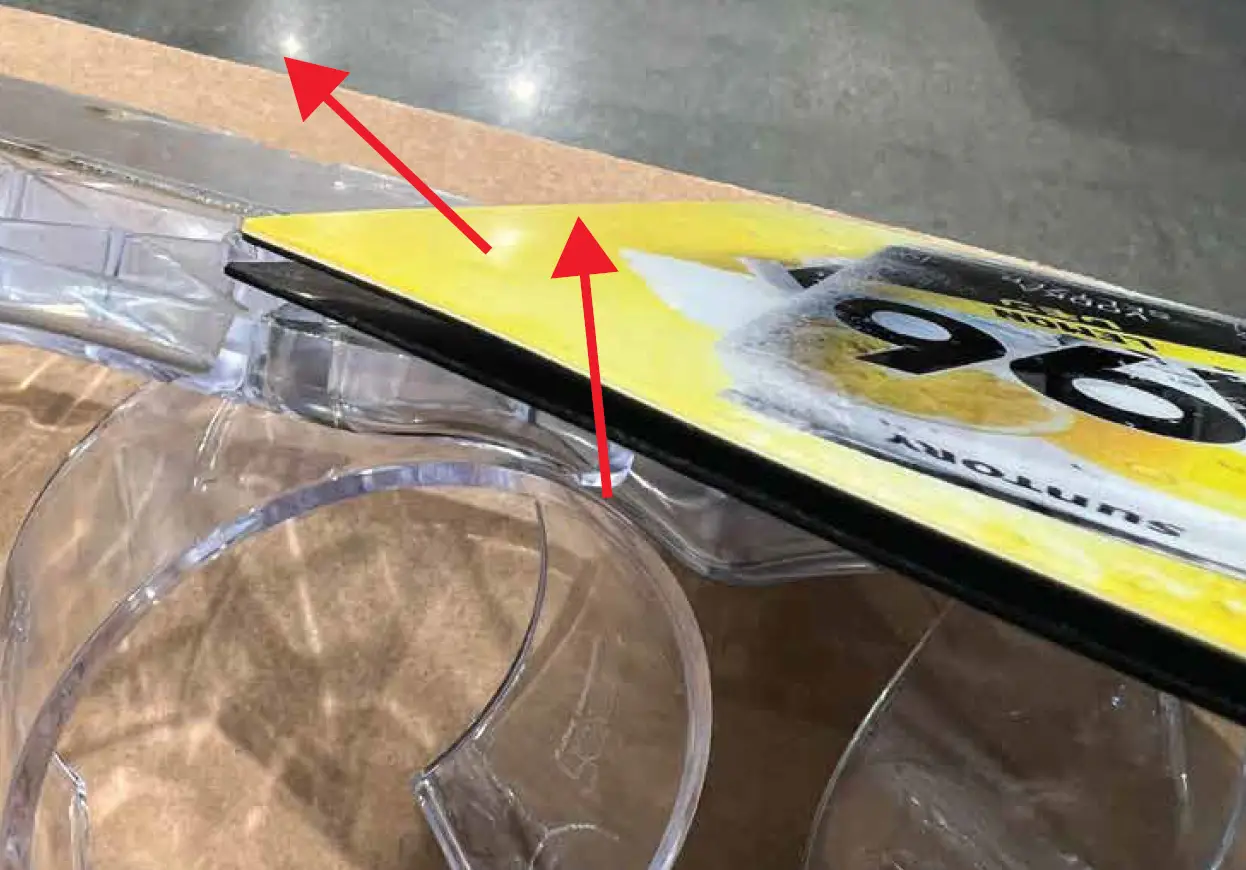
Place the tab in an angle into the channel. Slide it across in a side and downwards angle.
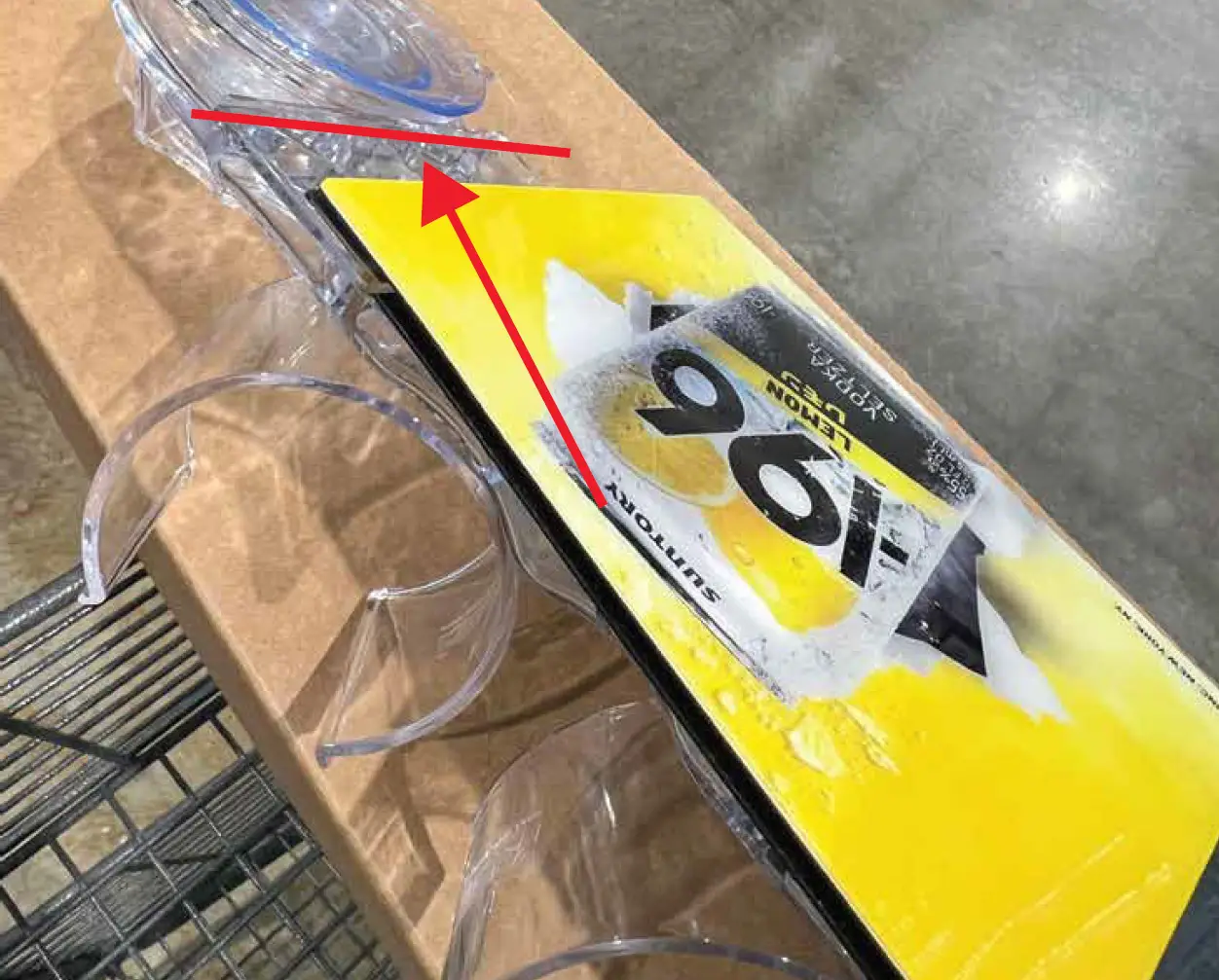
Slide it over as far as you can.
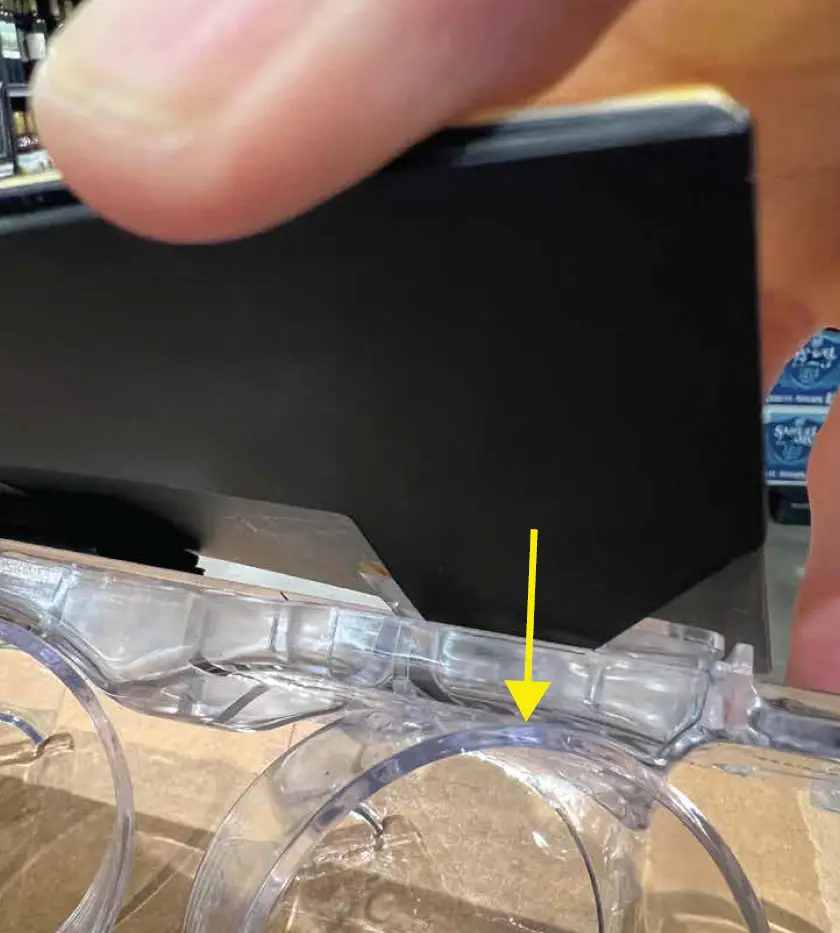
Navigate the second tab into the channel.
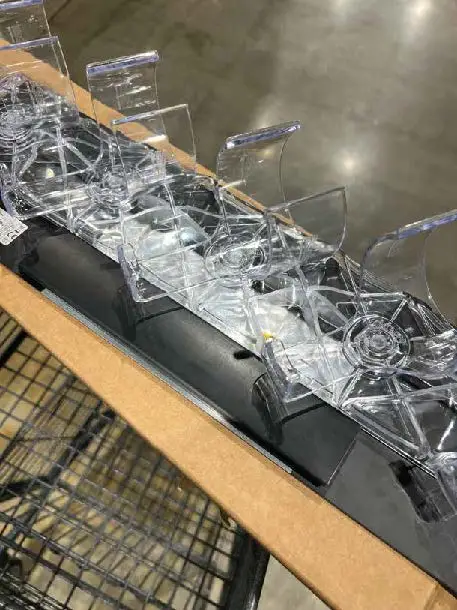
Make sure the control unit and batteries are positioned below the can holding fixture (the iSEE Apex display) – that is the correct position of the Motion Display.
You are ready to attach!
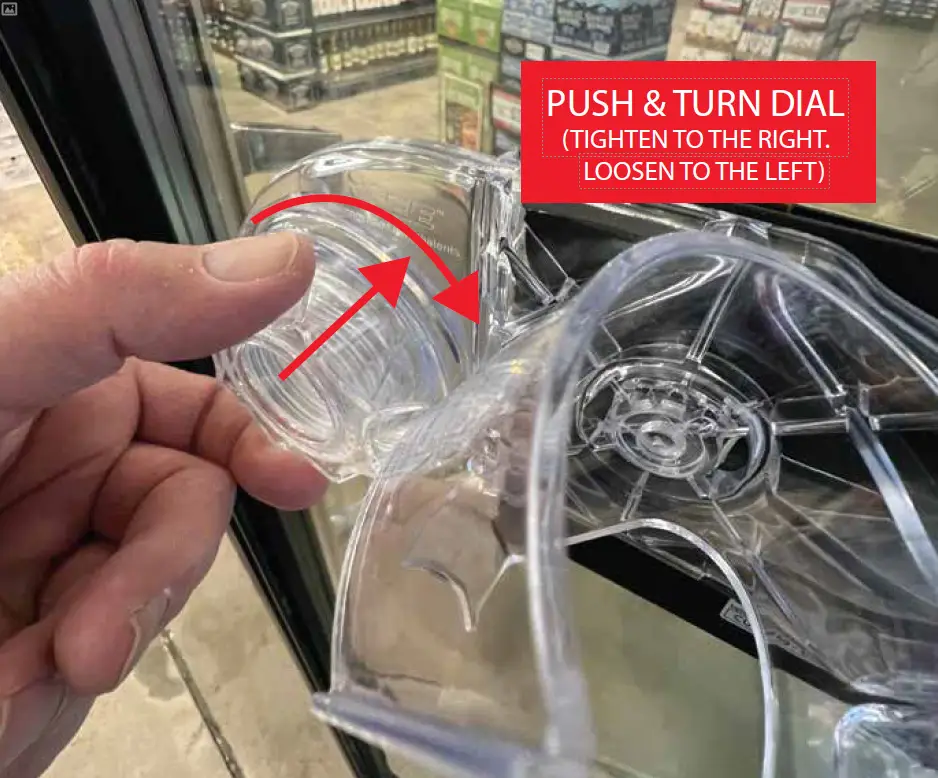
Make sure the inside of the cooler door is clean and not overly condensated.
Push the suction cup to the glass.
Turn the dial to tighten the suction tightness. Make sure the display is straight and repeat with tightening the second dial.
Tug it. Make sure you have attached it correct and it is secured to the glass.
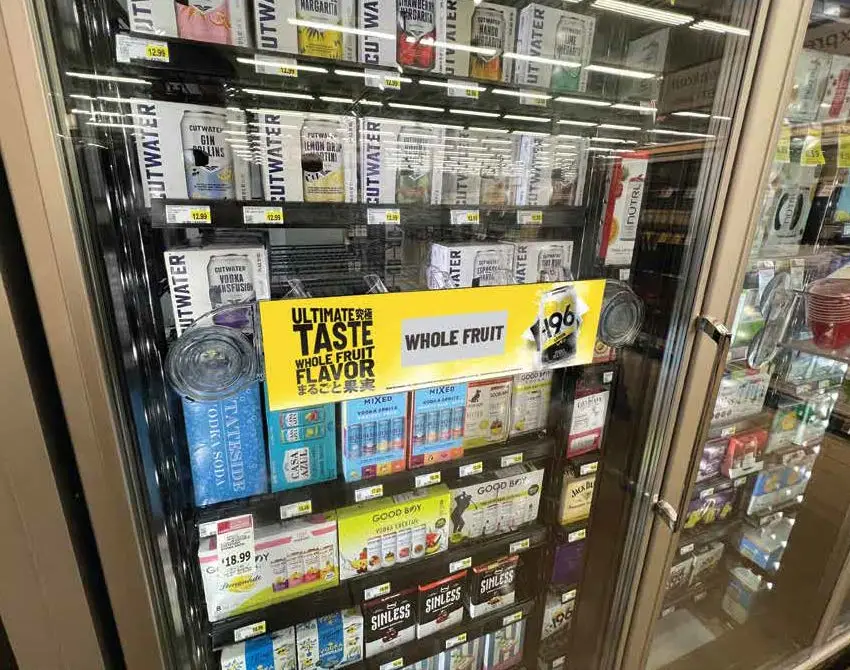
Final look inside the glass of the cooler.
Place products / cans in the holders.